

About
Why ImgSera exists
ImgSera
Image Smart Enhancement & Rendering Assistant
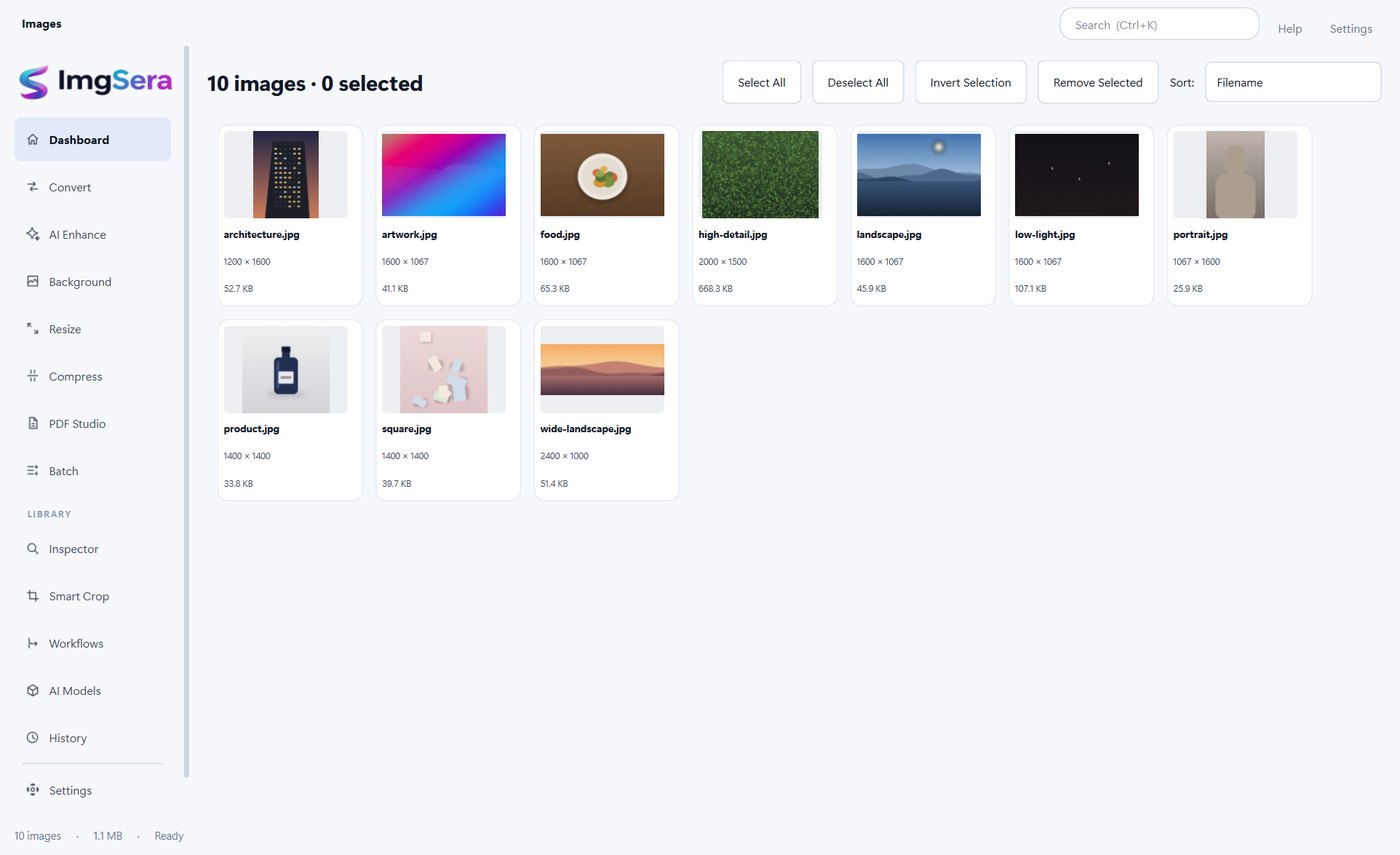
ImgSera is a Windows desktop application for practical image editing: converting formats, resizing, compressing, upscaling with AI, removing backgrounds, building PDFs and running multi-step pipelines over whole folders of images.
The problem
Most everyday image tasks are small and repeated. A product photo needs to be smaller. A document scan needs to become a PDF. A thumbnail needs to be larger and cleaner. Someone needs twenty images resized to the exact same dimensions. None of these need a heavyweight editing suite.
The tools that do exist online have a structural problem: they run on someone else's computer. To resize an image, a website has to receive it. That means uploading your files to a server you do not control, waiting for a round trip, and trusting that the copy is handled responsibly.
The approach
ImgSera takes the opposite approach. It is an ordinary desktop application that runs on your own machine, where the libraries it needs already live. Conversion, resizing, compression, PDF work and batch processing are fast and fully functional with the network cable unplugged.
AI upscaling and background removal run on your GPU through DirectML, or on the CPU when that is not available — using real neural networks, downloaded once and then stored locally. It accepts JPG, PNG, WEBP, TIFF, GIF, HEIC, AVIF, BMP and other supported formats, and offers curated sample images so you can try the tools before touching your own files.
Who it is for
- Shop and marketplace sellers preparing consistent product imagery and listings.
- Photographers who need clean resizing and background removal without an upload.
- People who assemble documents and need images turned into a PDF, or a PDF turned into images.
- Anyone who handles images they would simply rather not upload anywhere.
The Creator Behind ImgSera
Natesh Kumar L
Creator & Developer of ImgSera
ImgSera is the work of a single developer — from the image pipeline and the AI model integration through to the Windows packaging and installer. It is built around one conviction: that the tools people use every day to prepare images should run on their own computer, keep their files private, and stay fast.
Principles
What ImgSera is built around
-
Privacy is the default, not a setting
There is no upload step anywhere in ImgSera. Processing happens on your machine because that is how the application was built — not as a setting you can switch off.
-
No fake features
The AI tools run real models, locally. If a model is not installed, ImgSera says so and offers the download rather than pretending a button did something.
-
Built for Windows
ImgSera is a native desktop application for Windows 10 and 11 (64-bit), with DirectML GPU acceleration when your hardware supports it and a CPU path when it does not.
-
Productivity for real workloads
Batch queues, pause, resume, retry-failed and atomic writes are first-class. It is built for someone processing hundreds of images, not just one.
Workflow
The same simple loop, every time
- 01
Import
Drag and drop images onto the window, pick files, or add a whole folder including subfolders. Every file is validated by content before it is decoded.
- 02
Edit
Pick a tool, adjust its settings, and preview the result. With a selection active the tool processes that selection; with nothing selected it processes everything you imported.
- 03
Export
Choose an output folder and let the queue run. Files are written atomically, so a cancelled job never leaves a corrupt export behind.
This page describes what the ImgSera application does. Company background, team information and customer stories are not published here because they have not been supplied or verified. They will be added when real details are available.
Ready to prepare your images?
ImgSera runs entirely on your Windows machine — no account, no uploads, no subscription required to get started.
Releases are being finalised. The download page shows the current status honestly.